Search like you remember it.
Titles, tags, notes, sites, collections, saved-page text—plus fuzzy matching and filters for date added, domain, saved copies, favorites, never-opened, notes, and tags.
Shelf is the bookmarking app you've always wanted. Free, small (just ~5MB), powerful search, an inbuilt API server for automations, and 100% local.
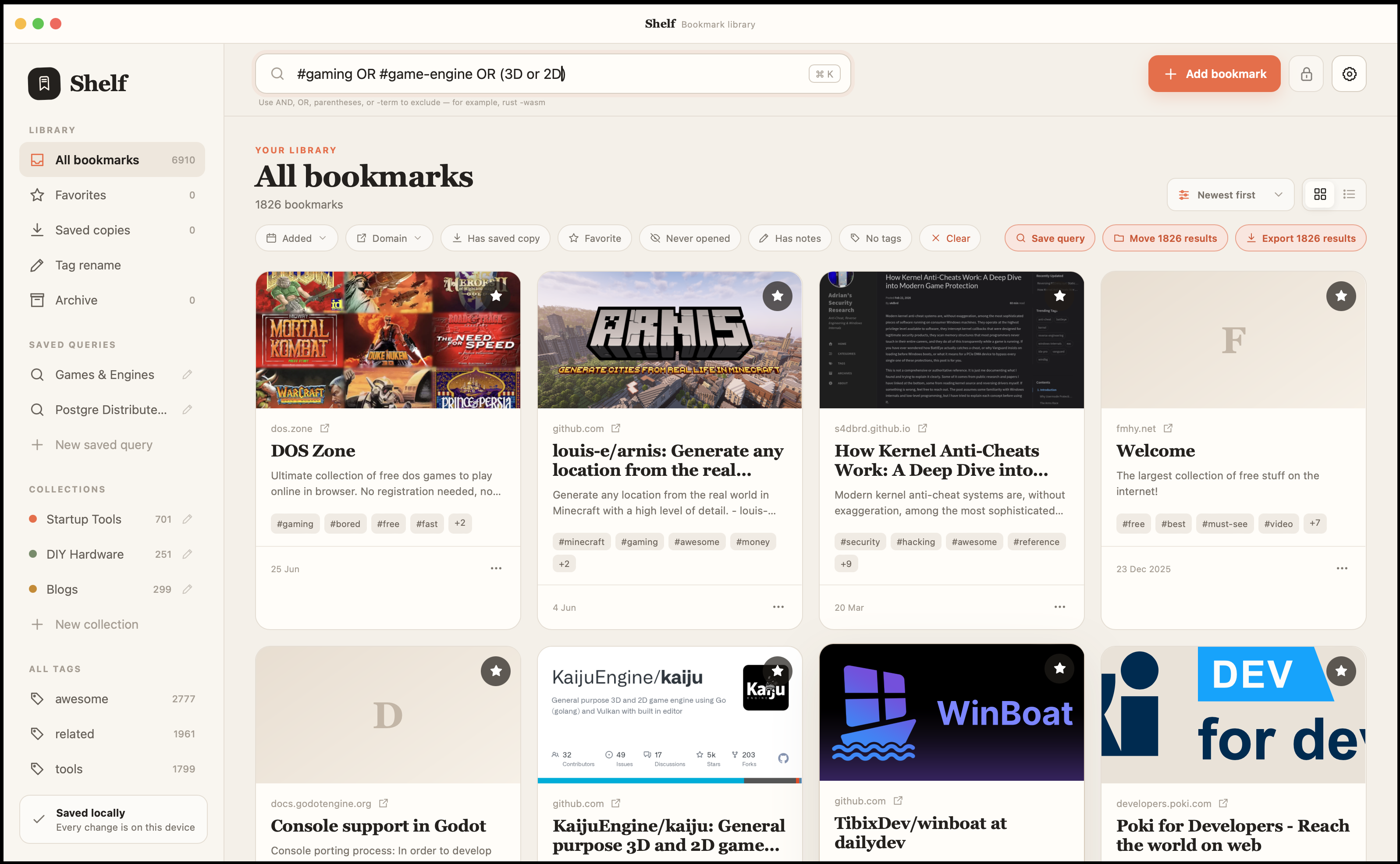
A proper look around
Everything worth keeping
Powerful search, including Boolean logic, saved searches, tags and collections. Add date, domain, and bookmark-state filters when you want to narrow the shelf even further.
Titles, tags, notes, sites, collections, saved-page text—plus fuzzy matching and filters for date added, domain, saved copies, favorites, never-opened, notes, and tags.
Turn your perfect Boolean rabbit hole into a named saved search. Results stay live as your library changes.
Capture important HTML, read it inside Shelf, search its text, and export it when you want a real copy.
Make your own imperfect little system and layer it with date, domain, favorite, note, never-opened, saved-copy, or no-tag filters.
Your bookmarks are well kept
Your library stays local in a standard SQLite database that you can place where you want, copy, back up, or inspect with familiar tools.
Start saving immediately. Your bookmarks live on your computer, not behind a sign-in or inside somebody else’s workspace.
Pick a custom folder and filename, then move or back up your library and saved pages together.
Browse, organize, search, and read saved copies even when Shelf cannot reach the internet.
No beige software energy
Rich page details, saved copies for offline reading, and full API access for your automations—including your agents.
Fetch useful page details, preview and edit them, then add notes, tags, a collection, a favorite, or a saved copy.
Keep important pages close, read them in Shelf, refresh them later, or export an individual copy whenever you need it.
Turn on Shelf’s built-in HTTP API and let trusted local tools, shortcuts, and your own code manage the library.
Read the API docs →Scan it your way
Comfortable for a handful of treasured links and designed to stay responsive when your library gets seriously large.
Switch between spacious cards and a compact scanning layout. Shelf remembers which one you prefer.
Sort by newest, oldest, title, website, or most visited, with search relevance doing the right thing when you query.
Combine an inclusive date-added range and searchable multi-select domains with saved-copy, favorite, never-opened, notes, or no-tags filters, plus search, tags, collections, or archived bookmarks.
Show a QR code, copy the original link, or copy the bookmark’s saved details when a page deserves another screen or another person.
Rename a tag everywhere or move every bookmark in a filtered search to a collection in one go.
Come and go freely
Your library should be easy to bring in, easy to take out, and comfortable to use on the desktop you already own.
Review issues before anything changes, continue with valid rows if you choose, and see what was added, updated, or skipped.
Export your complete library or exactly the bookmarks matching the current search and filters.
Add an optional password, choose an inactivity timeout, or lock immediately from the toolbar.
Native file pickers, keyboard-friendly controls, responsive layouts, and reduced-motion support make Shelf feel dependable across desktop platforms.
There’s plenty more—from favorites and archives to notes, visit history, tag autocomplete, and short-link cleanup.
Browse all features →Coming to the Shelf family
Two native companions are on the way, built around the same ownership-first approach as the desktop app.
A fully open-source native syncing server will keep Shelf libraries in step across your devices. Run it yourself, keep control of where your data lives, and avoid being tied to a proprietary cloud.
Browser extensions will connect to Shelf’s built-in API server so you can add the page you’re viewing directly to the desktop app, without detouring through a web account.
No pricing page jump-scare
Apple Silicon
Intel
x86_64
ARM64
x86_64
ARM64